Project Overview
Timeline: mid-2016 – 2017
Role: UI/UX designer (Team Project), User Research, Wireframing, Prototyping, UI design, and Interview with the stakeholders
Tools: Pen & paper, Figma, Adobe photoshop
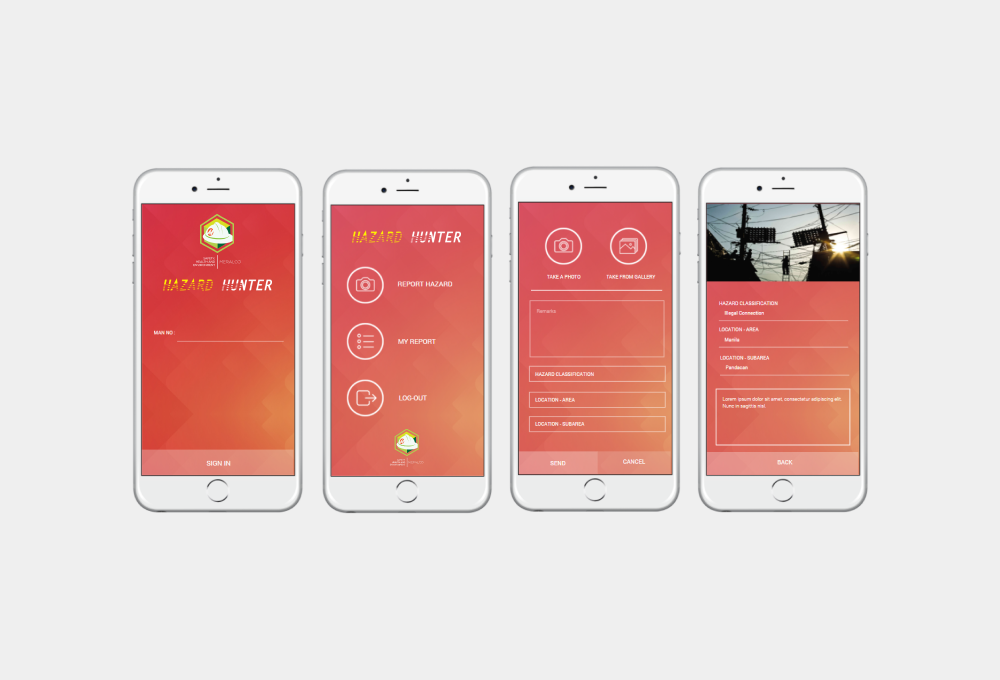
Meralco Hazard Hunter app
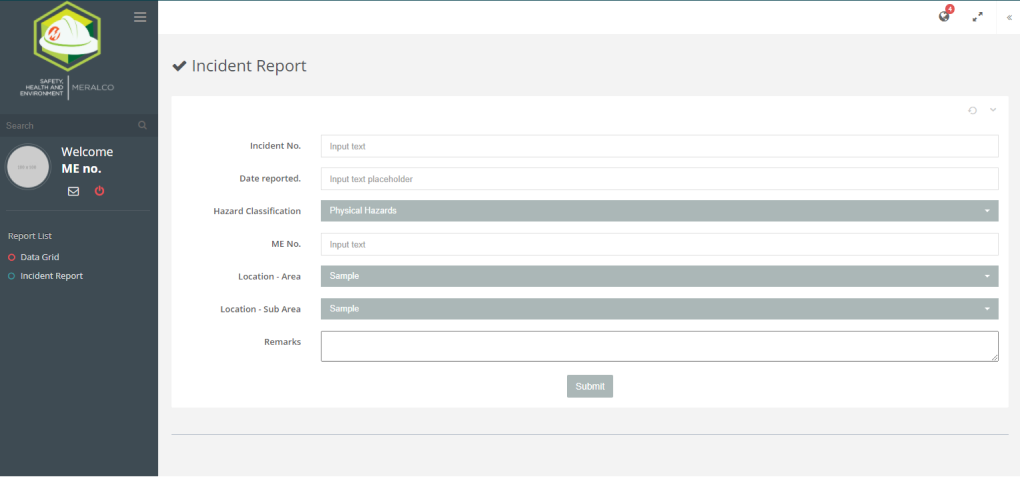
An in-house app we created for Meralco people to report an unnecessary incident inside of the Meralco community.
Challenges
during the research, we found out 70% of the Meralco employee has an age of 45 to 55, and they not quite interested in the app installed on their mobile. most of them are not comfortable because of complexity. given to say that they are a traditional person. They are comfortable enough to use the current system that exists a very long time.
The Task
Create a UI for mobile app with this specification we gather from the user and the stakeholders
We created a mobile app to:
- Improve the process that the old system has
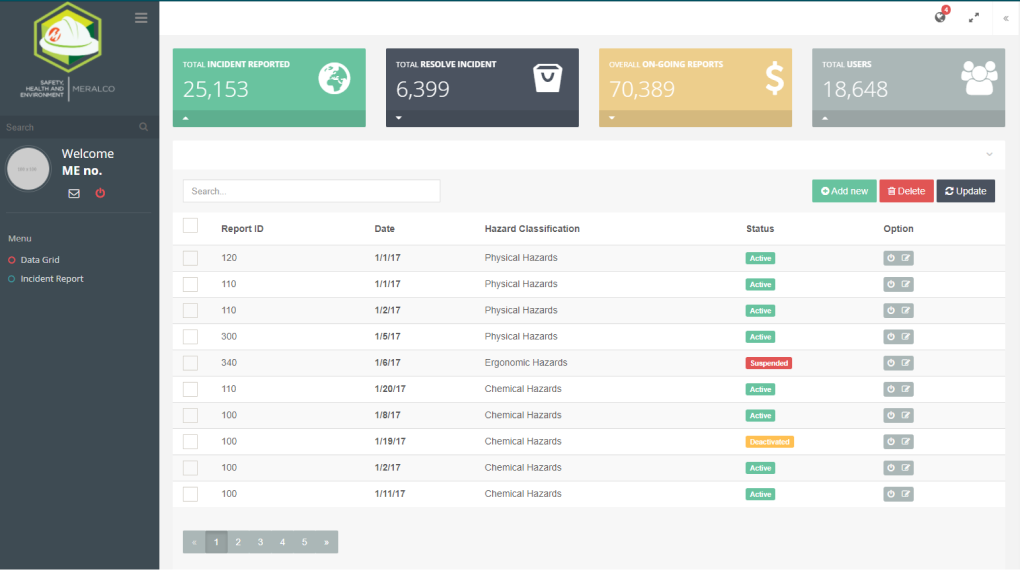
- To easy track down the problem inside of the Meralco area
- Consistency and standard: user should easy to understand the app
- Flexibility and efficiency
- Creating a CMS for the report capture.
The Process
The Team plunged into the product as a UX designer conducted an interview with stakeholders. We study the current system they use on how the issue escalated using the current system and how much time they resolve the issue base on the severity.
We run a heuristic evaluation to identify the usability issue in the user interface we created so that we are aligned on the process that Meralco has.
We also have created a detailed schemed of all screens, popups, and notifications. this will help us to work more flexibly and quickly on the apps, improved the flow and the service.
We created a fully clickable prototype for the user as a requirement before we send it off to the development.
We run the design sprint. we invited people from the different departments with given demographics. again from ideation to wireframing, and prototyping. We conducted a demo of the prototype we created. we invited those employees to try the prototype.
UX Design
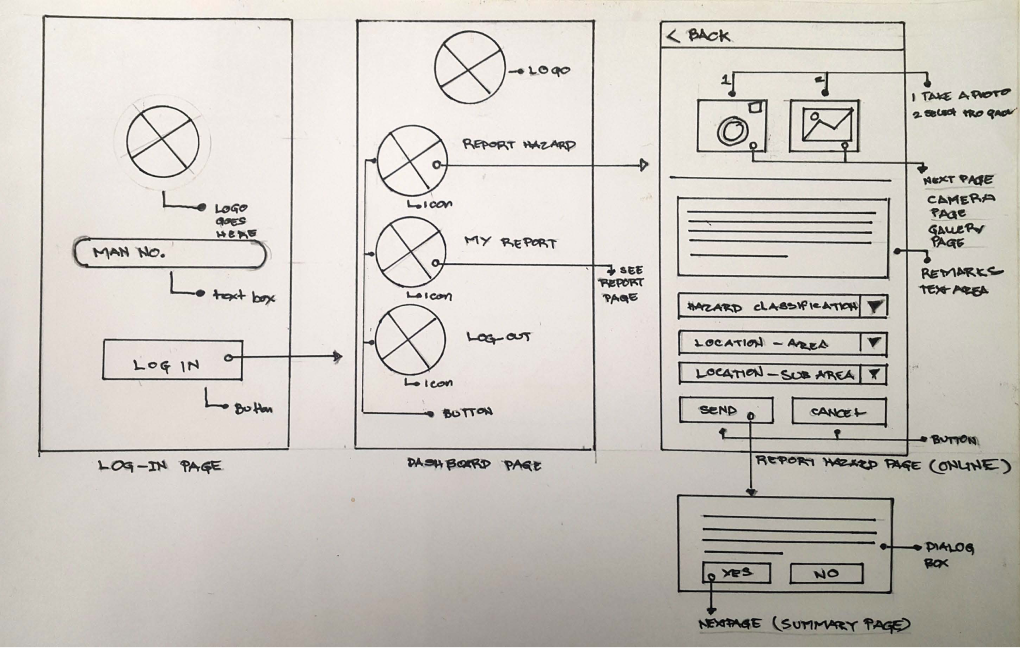
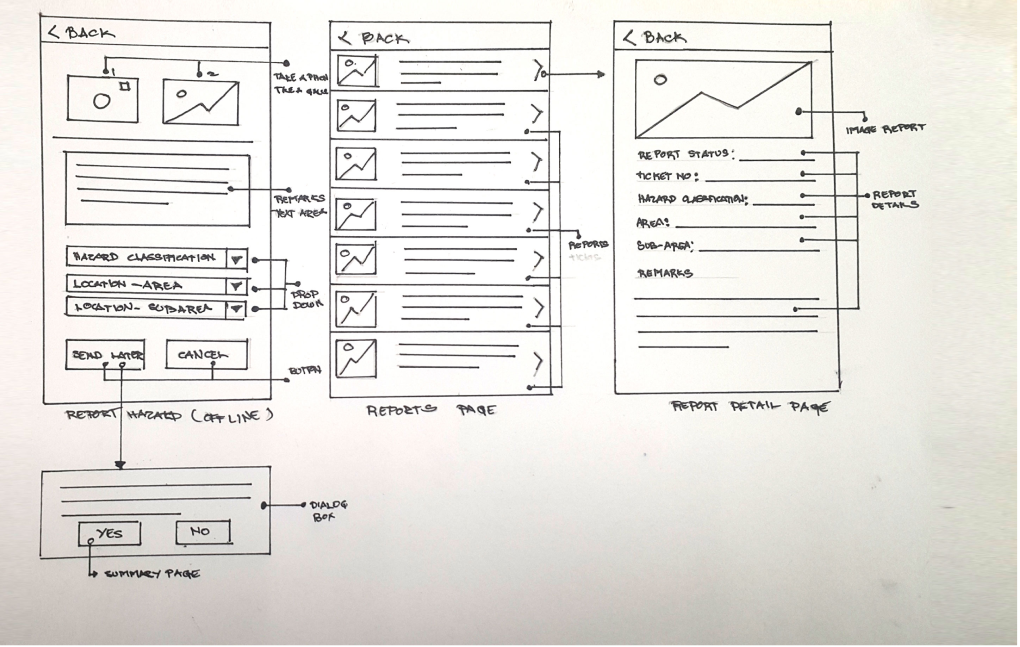
Based on research I had a clear idea about the product. To make this process more productive, I made a low-fi wireframe layout. I use Figma here to create a wireframe to make a simple and fast way to understand the flow also help the clients get a clear understanding of the layout structure.
Sketching
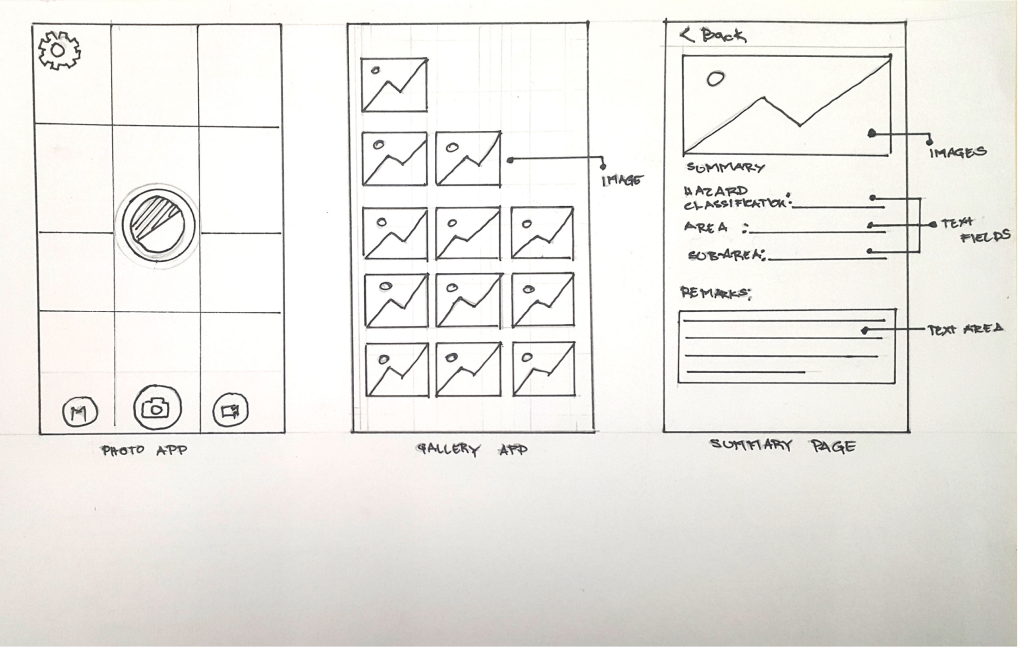
We did a low-fidelity design to consolidate our ideas and make a visual presentation of it before we proceed with the prototype.
Prototyping
I use Figma here to create a wireframe to make a simple and fast way to understand the flow also help the clients get a clear understanding of the layout structure.
User testing
We run the design sprint. we invited people from the different departments with given demographics. again from ideation to wireframing, and prototyping. We conducted a demo of the prototype we created. we invited those employees to try the prototype.
Final Say
During the testing phase, we had positive feedback that came to the employee. they want to use it and they see the importance of it. although this is an in-house app we have seen the value proposition is very high because it will cut down the duration of identifying the problem in the specific area and much faster to solve a problem compared to the conventional way to report the problem. we are happy to see that they are using it and have a plan to expand it and make it offer to the public.