Project Overview
Timeline: mid-2016 – 2017
Role: UI/UX designer (Team Project), User Research, Wireframing, Prototyping, UI design, and Interview with the stakeholders
Tools: Pen & paper, Figma, Adobe photoshop
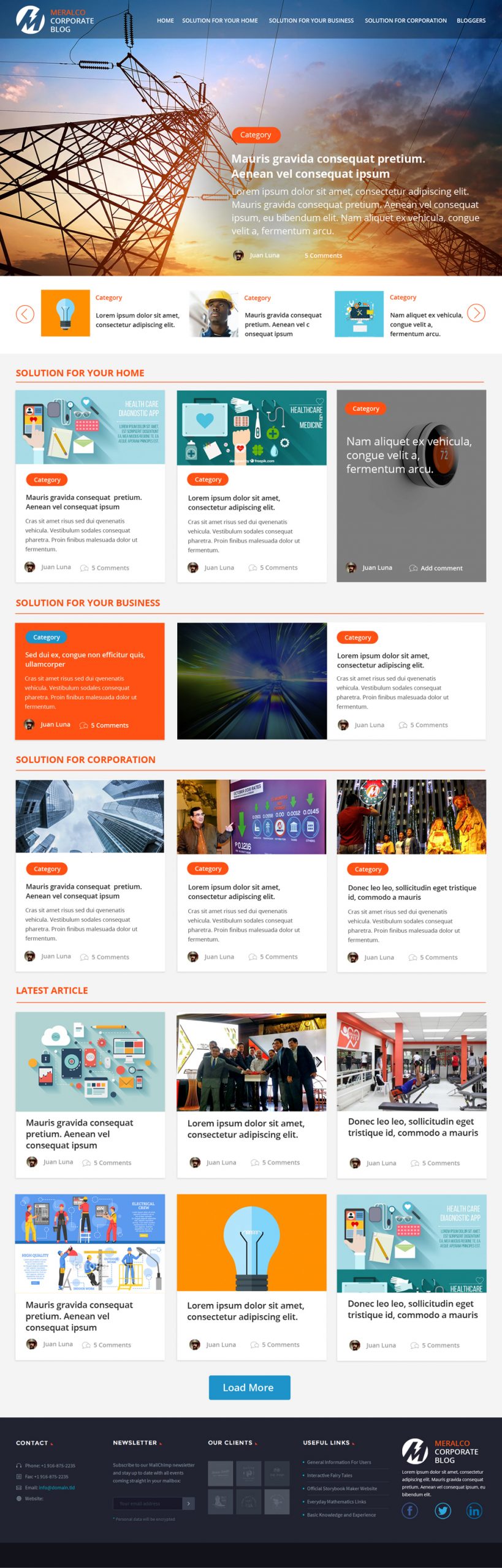
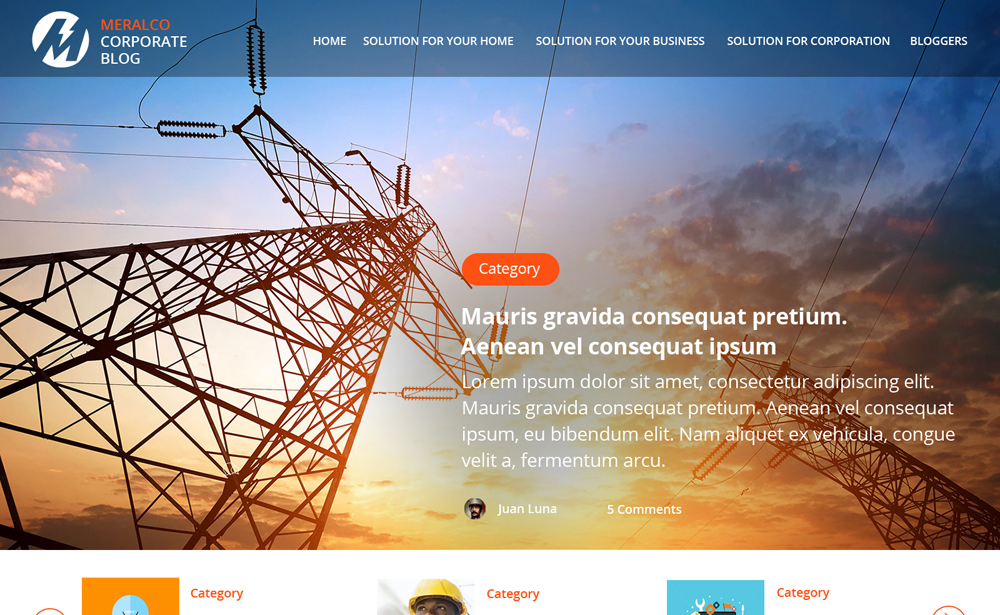
Meralco Corporate Blog
I was responsible for creating Wireframe to Prototype, Workflow, UI design and build. This web blog has been used in Meralco as the source of information, daily tips, and alternative communication tools for the people.
Challenges
Overhauled the Web site to optimize the user experience. The newly launched site catapulted visit-to-lead and visit-to-order ratios while shrinking the page-abandonment rate by 21%.
The Task
Create a UI for Meralco corporate blog with this specification we gather from the user and the stakeholders
- Improve user experience through making adjustments in the design. We need to redesign the Home Page and Category Page.
- improve the footer design for internal interlinking
- We use different lifestyle categories here such as Business and Pop Culture, depends on our target market. These are usually popular articles for Filipinos and we can share these through Facebook and Twitter to increase more traffic and awareness.
The Process
The Team plunged into the product as a UX designer conducted an interview with stakeholders. We study the current blog they use, how this blog can interact with the user. what are the special feature might need to improve the new design.
We run a heuristic evaluation to identify the usability issue in the user interface we created so that we are aligned on the process that Meralco has.
We also have created a detailed schemed of all screens, popups, and notifications. this will help us to work more flexibly and quickly on the apps, improved the flow and the service.
We created a fully clickable prototype for the user as a requirement before we send it off to the development.
We run the design sprint. we invited people from the different departments with given demographics. again from ideation to wireframing, and prototyping. We conducted a demo of the prototype we created. we invited those employees to try the prototype.
The following are the suggestion and tools we give during the discussion on how to gain much attention to the user:
Search Engine Optimization
We will need to provide an end-to-end search engine optimization process for the Meralco blog. This includes Google rankings, keyword research, meta tag optimization, and content optimization.
Social Media Presence
For the social marketing tools, we will employ the best design and practices for the current Facebook and other social media preference. We will also need to create, setup, and maintain the corporate accounts for it.
All these sharing and interlinking will create a mini-network of the site and its properties thus creating more awareness, traffic generation, and most importantly, credibility in Google’s eyes. This should optimize the site’s social signals.
For Content
-
- Create short descriptions on all category pages that will coincide with the metadata.
- Fill up a blog with content at least once a week.
- list of post needed on the blog (recommendation only)
- The Personal Spotlight Post
- The Media Post
- The News Post
- The Cheat Sheet Post(Instructional post)
Thought Leadership Publication
Position the key people in the company as influencers and thought leaders in the industry. This will provide good reputation for both the company and its employees, as well as boosting views from potential clients and candidates.
Analytics and Reporting
We will need reporting and analytics services to measure each online marketing campaign in the different channels.
UX Design
Based on research I had a clear idea about the product. To make this process more productive, I made a low-fi wireframe layout. I use Figma here to create a wireframe to make a simple and fast way to understand the flow also help the clients get a clear understanding of the layout structure.
Sketching
We did a low-fidelity design to consolidate our ideas and make a visual presentation of it before we proceed with the prototype.
Prototyping
I use Figma here to create a wireframe to make a simple and fast way to understand the flow also help the clients get a clear understanding of the layout structure.
User testing
We run the design sprint. we invited people from the different departments with given demographics. again from ideation to wireframing, and prototyping. We conducted a demo of the prototype we created. we invited those employees to try the prototype.
Final Say
The newly launched site catapulted visit-to-lead and visit-to-order ratios while shrinking the page-abandonment rate down by 21%.